
Configuring what info is synced with Mailchimp
Why configuring your Mailchimp sync matters
By default, Embodia only shares a patient's first name, last name, and email address with Mailchimp, enough to build a mailing list, but not enough to run targeted campaigns.
Once you configure your patient data sync settings, you can pull in appointment history, discharge status, and any custom patient properties your clinic tracks, so your Mailchimp segments and automations actually reflect where each patient is in their care.
Please note: This feature is available to Tier 3 Practice Management memberships. Learn more about Embodia's membership pricing.
Choosing what information syncs to Mailchimp
By default, Embodia will only share the patient's first name, last name, and email address with Mailchimp.
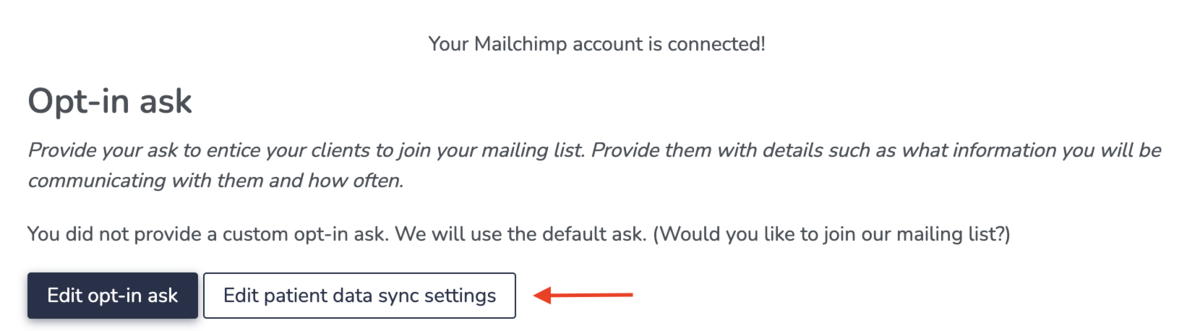
If would like to share more information with Mailchimp, after connecting your Mailchimp account, click on the "Edit patient data sync settings" button.
On the next page, select which fields you want to share with Mailchimp. This includes:
- Appointment count: This is the number of non-cancelled appointments for the patient
- Last appointment date: The is the date of the last non-cancelled appointment for the patient
- Discharge status: This will use the clinical case feature to determine if the patient has been discharged. This can have 3 values:
- An empty value: This means that the patient does not have any clinical cases;
- Yes: This means that the patient has at least one clinical case, and they have been discharged from ALL their clinical cases;
- No: This means that the patient has at least one clinical case, and they have not been discharged from one or more of their clinical cases;
- Any of your patient properties.
Typical use case examples
Reengagement of patient who did not rebook
If you choose to sync the Last appointment date and Discharge status with Mailchimp, you can use this information to create a re-engagement campaign for patients who have not been discharged (their Discharge status is No) and whose Last appointment date was more than a specified time period (ex. two weeks ago).
Birthday emails
If your clinic has a patient property of type 'Birthday', you can choose to sync this patient property with Mailchimp to send your patients automated emails on their birthdays. You can find more information in this help guide on Mailchimp.
Related guides
- Connecting your Mailchimp account
- Adding an opt-in ask
- Using patient properties
- Using clinical cases for patient scheduling